· By Reroutly
Static vs dynamic QR codes: which should you print?
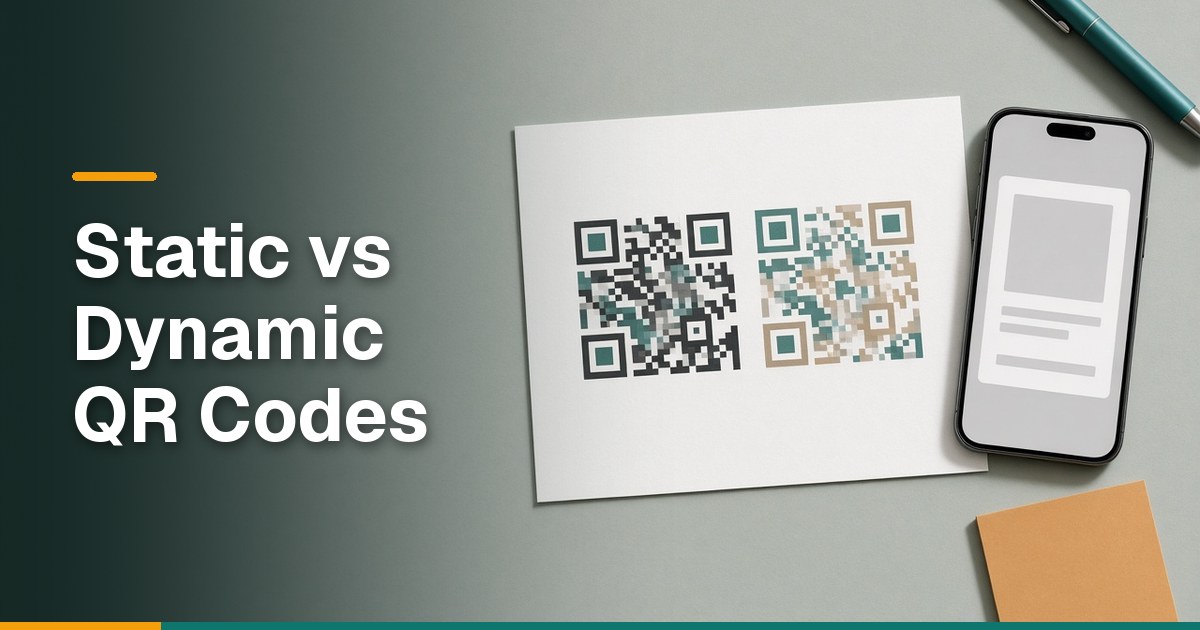
A static vs dynamic QR code choice comes down to one thing: whether the destination is baked into the printed pattern or sits behind a short link you can change later. If you are printing flyers, menus, packaging or a shopfront sign, a dynamic code is usually the safer option because you can update the link and see how often it is scanned. A static code still has a place when the information will never change and you want the data stored in the code itself.
What a static QR code actually is
A static QR code stores the destination — a web address, Wi-Fi details, a piece of text or a contact file — directly in the black and white pattern. Once you have generated the image, that payload is fixed. If you change the menu URL, move the landing page or fix a typo, the printed code cannot follow you. You have to create a new code and print it again.
Because there is no redirect in the middle, a static URL code sends the phone straight to the address you encoded. That is simple, and it can be the right tool when the content is truly permanent. The trade-off is the lack of flexibility. You also cannot read scan counts from the code itself, because nothing sits between the camera and your page to tally the visit.
Static codes are often free to generate and do not depend on a monthly plan to keep working. They still fail if the destination disappears — a lapsed website, a deleted PDF, a campaign page you took down — so "permanent" only applies to the pattern, not to whatever lives at the other end.
What a dynamic QR code actually is
A dynamic QR code does not store your final page in the pattern. It stores a short redirect address managed by a QR platform. When someone scans it, their phone opens that short link first; the platform then sends them on to the destination you have set today. Change that destination in your dashboard and the same printed square points somewhere new.
That redirect is also how scan tracking works. The platform can record that a scan happened, and often when it happened, roughly where, and what kind of device was used. It cannot tell you the name of the person holding the phone.
The cost of that flexibility is dependence: the short link has to stay online, and your account with the provider has to stay in a state that allows the redirect. Some tools let dynamic codes expire when a free trial or subscription ends. QR Code Generator's own support page, updated on 21 August 2026, is explicit that its dynamic codes expire when the free trial ends, while its static codes remain active. That is why you should read the plan terms, and scan a proof, before you commit a print run.
If you want the difference between a static QR code and a Reroutly dynamic code in one line: a static code has the destination baked into the pattern, so it can never change; a Reroutly code points to a short link they manage, so you can change where it goes and they can count each scan.
Static vs dynamic QR codes at a glance
| Static QR code | Dynamic QR code | |
|---|---|---|
| What is in the pattern? | Your actual destination or data | A short redirect link |
| Can you change the destination after printing? | No. You must create and print a new code. | Yes, from the provider's dashboard |
| Can you see how often it is scanned? | Not from the code itself | Yes, if the provider offers scan analytics |
| Does it need a provider account to keep working? | No | Yes. The short link has to keep resolving |
| What happens if a trial or plan ends? | The pattern still encodes the same data | Some providers stop the redirect. Check the terms. |
| When it is the better choice | Wi-Fi, a contact file, or a URL you will never move | Menus, signs, packs, flyers, cards and campaigns |
| Internet at scan time | Only if the destination is a web page | Yes, so the redirect can run |
A denser static pattern (a long URL encoded directly) can also be harder to scan at small sizes. A dynamic code usually stays compact because the short link is short. That is a practical reason to prefer dynamic codes on business cards and tight flyer corners, even before you think about tracking.
You cannot tell the type reliably from how the square looks. A logo, a splash of colour or a rounded frame does not make a code dynamic. Only the encoded data does, so scan a printed proof — or even the file on screen — and read the URL your camera previews before you send a hundred flyers to the printer.
Which should you print?
Print a static code when all of the following are true:
- The information will not change for the life of the print (a Wi-Fi password for a stable network, a contact card you will not update, a permanent policy page).
- You do not need scan counts from the code itself.
- You are comfortable that the destination will stay online.
Print a dynamic code when any of the following are true:
- You are printing something expensive or hard to replace: packaging, a shopfront decal, an A-frame, a real estate signboard, a run of menus.
- You might change the offer, the menu, the listing or the landing page later.
- You want to see whether the poster by the door is doing more work than the flyer on the counter.
- You want the option to pause the code or send iPhone and Android users to different places, if your tool supports that.
For most Australian small businesses, the printed object lasts longer than the campaign behind it. A florist's spring flyer, a plumber's business card, a bakery sleeve or a café table disc will still be in someone's hands after you have changed the special, the booking link or the menu. That is the case for a dynamic code.
Dynamic is not automatically "better" in every situation. If you only need to share a Wi-Fi password with staff, a static code avoids an extra login and an extra point of failure. The mistake is using a static code on a print run you cannot afford to throw away.
A pre-print checklist
Work through this before you approve the artwork:
- I have decided static or dynamic on purpose, not because a design tool offered a one-click code.
- I have scanned a proof with a phone camera and read the URL in the preview.
- The hostname I saw matches the type I wanted (my own page for static; a short redirect for dynamic).
- If the code is dynamic, I have read what happens if I cancel or if a trial ends.
- The destination is the right page today (the current menu, the live listing, the form that actually works).
- The code is large enough for the print size, with a quiet zone around it, and I have a print-ready file (SVG is safest for signs; a large PNG or JPEG is fine for most flyers).
- Someone other than the designer has scanned it on an iPhone and an Android phone.
If any item fails, fix it before the printer starts. A beautiful flyer with a dead or uneditable code is just a reprint waiting to happen.
How to tell if a QR code is static or dynamic
Scan a proof of the printed file and read the URL your camera shows before you tap it.
Step 1: Open the camera app
Use the built-in camera on a modern phone. You do not need a separate scanner app.
Step 2: Point it at the code and wait for the preview
Hold the phone steady until a link preview appears, and read that URL before you open it.
Step 3: Check the hostname
If the preview is your full destination (for example your café's menu page), the code is almost certainly static. If it is a short link on a QR or redirect domain, it is dynamic.
Step 4: Decide before you print the run
If you expected a dynamic code and the preview already shows your final page, do not send the file to the printer until you have generated the right type.
Frequently asked questions
Which is better, a static or a dynamic QR code?
For anything you will print and might need to update, choose a dynamic QR code. Use a static code only when the information will never change and you want the data stored in the pattern itself.
How do I know if a QR code is static or dynamic?
Scan a proof and read the URL your camera previews. Your own full page address usually means static. A short redirect on a QR provider's domain means dynamic.
Can I change a dynamic QR code to a static QR code?
You cannot convert the printed pattern from one type to the other. You would need to create a new code and, for a static one, print it again. A dynamic code can only change where its short link points.
Why would you use a dynamic QR code?
So you can fix a typo, update a menu or end a campaign without reprinting, and so you can see how often the code is scanned. That matters on signs, packs and flyers.
Do static or dynamic QR codes expire?
A static code does not depend on a subscription, so it keeps working if the destination stays online. Some dynamic codes stop working when a free trial or paid plan ends, so read the terms before you print.