· By Reroutly
Dynamic QR codes: the complete Australian guide
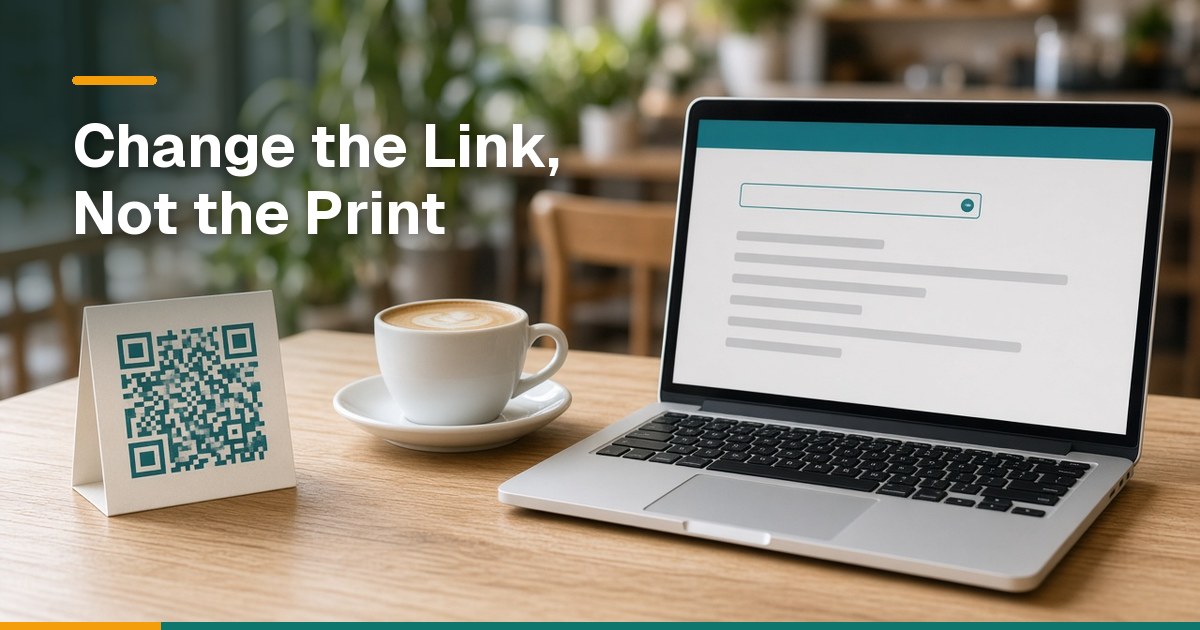
A dynamic QR code is a printed code that points at a short link you can change later, instead of locking your final page into the pattern. That is what lets you update a menu, listing or offer after the flyers have gone out, and what lets a dashboard count the scans. This guide explains how they work, when Australian businesses should use one, and how to create and look after it.
What a dynamic QR code is
A QR code is just a way of putting data in a scannable pattern. With a static code, that data is the destination itself. With a dynamic QR code, the pattern holds a short address on a QR platform. When someone scans it, their phone opens that short address; the platform then sends them on to the page you have chosen.
Wikipedia describes this as a redirection layer: the target can be updated on the server without altering the printed code. The printed square does not change. What changes is the record behind it.
That is also why a dynamic code can be tracked. Each scan passes through the platform, so the event can be logged. It is not magic in the ink. It is a short link with a dashboard.
If you want a fuller comparison of static versus dynamic QR codes, and which one you should print, start there, then come back to this guide for the practical setup.
How a dynamic QR code works
The sequence looks like this:
- You create a code in a dynamic QR tool and set a destination (your menu, a booking page, a form, a listing).
- You download a print-ready file and put the code on a flyer, pack, poster or table disc.
- A customer scans it with their phone camera. They do not need a special app.
- The phone opens the short link, the platform records the scan, and the customer is sent to the current destination.
Because the destination lives in the dashboard, you can fix a typo, swap a seasonal offer or retire a campaign without sending new artwork to the printer. On Reroutly you can also pause a code so scanners see a holding page, and you can send iPhone and Android users to different links from the same printed square.
Two limits come with the model. First, the phone needs an internet connection so the redirect can run. Second, the platform has to stay up, and your plan has to keep the short link alive. A dynamic code is only as reliable as the service behind it.
What you can do with one
For a small business, the useful jobs are straightforward:
- Change the destination after printing. Update a café menu, a real estate listing, an event schedule or a "sold" campaign without reprinting the sign.
- See whether the print is working. Scan analytics can show scans over time and, depending on the tool, a breakdown by country, region or device.
- Keep one printed object useful for a long time. Packaging and shopfront signage have long lives. The offer on the other end often does not.
- Style the code to match the brand. Many tools let you choose colours, corner styles and a logo. The code still needs enough contrast and error correction to scan. Reroutly's features page describes custom colours, styles and a logo, with error correction to keep it scannable, plus PNG and JPEG downloads at 1200px and an SVG that can scale to a large sign.
What a typical dashboard cannot do is tell you who scanned. You get a count and some context, not a name or an email address. If you need a person's details, put a form on the destination page.
Dynamic vs static, in brief
| Question | Dynamic QR code | Static QR code |
|---|---|---|
| Can I change the link after printing? | Yes | No |
| Can I see scan counts from the code? | Yes, on most dynamic tools | Not from the code itself |
| What does the camera preview show? | A short redirect | The destination you encoded |
| Does it depend on a QR provider? | Yes | No |
| Best everyday use | Menus, signs, packs, flyers, cards, campaigns | Wi-Fi, a contact file, or a URL that will never move |
If the printed object will outlast the campaign, choose dynamic. If the information is truly fixed and you want no middle layer, static can still be the right call.
Reroutly's walkthrough of how to create a dynamic QR code, print it, then repoint it later is the same practical rhythm you will use on any decent dynamic tool: create the code, print it, then change the destination when you need to.
What it costs in Australia
Prices vary widely, and many international tools bill in US dollars. You should compare the published plan, what happens when you cancel, and whether analytics are included, rather than the headline "free" label alone.
Reroutly's published pricing, in Australian dollars including GST, is:
- Free, A$0 a month: 3 dynamic QR codes, unlimited scans, full scan analytics, PNG, SVG and JPEG downloads, and custom colours, styles and a logo. The homepage says no credit card is required. The sign-up page describes the plan as free forever for up to 3 dynamic codes.
- Pro, A$9 a month: 50 dynamic QR codes, with the same scan, download and design inclusions.
- Business, A$29 a month: 500 dynamic QR codes, plus team members marked as coming soon.
Cancel any time is stated on the pricing section. What a given provider does to existing redirects after you cancel is a question to read in their terms — some well-known tools expire dynamic codes when a trial or paid plan ends. Do not assume "dynamic" means "safe to print forever" until you have checked.
A checklist before you send the file to the printer
- The code is dynamic, and a phone preview shows a short redirect, not only the final page.
- The destination is the correct live page.
- I know what the plan includes (how many codes, whether scans are limited, whether analytics are included).
- I have read what happens if a trial ends or I cancel.
- I have a print-ready file, sized for the job, with a quiet zone.
- The code has been scanned on an iPhone and an Android phone.
- Someone on the team knows how to change the destination after print.
How to create and use a dynamic QR code
Create the code, proof it, print it, then change the destination whenever you need to.
Step 1: Choose a destination you control
Use a page you can keep online: your current menu, listing, form or offer. Avoid a temporary page you plan to delete next week unless you know you can repoint the code.
Step 2: Create the dynamic code
Paste the link into a dynamic QR tool, add your colours and logo if you want, and download a print-ready file (SVG for signs, or a large PNG or JPEG for flyers).
Step 3: Proof it with a phone
Scan the proof and read the URL preview. You should see a short redirect, then land on the right page. Try an iPhone and an Android phone.
Step 4: Print and place it
Keep a quiet zone around the code, print it large enough for the viewing distance, and put it where people can stand still with their camera.
Step 5: Repoint and measure
When the offer, menu or listing changes, update the destination in your dashboard. Use the scan report to see whether the placement is actually being used.
Frequently asked questions
What is a dynamic QR code?
It is a QR code that stores a short redirect link, not your final page. You can change where that link goes after printing, and the same printed code can be used to count scans.
How do I make a dynamic QR code?
Use a dynamic QR tool, paste the destination, style the code, then download a print-ready file. Scan a proof before you print. On Reroutly this is create, print, then repoint and measure.
How much does a dynamic QR code cost?
It depends on the tool. Reroutly's published plans are Free at A$0 for 3 codes, Pro at A$9 a month for 50, and Business at A$29 a month for 500, with prices in Australian dollars including GST.
Can I get a free dynamic QR code?
Yes, on some tools. Reroutly's sign-up page offers a free plan forever for up to 3 dynamic codes, with no credit card required on the homepage. Always check what happens if you later cancel a paid plan.
Do dynamic QR codes expire?
They can, if the provider turns the redirect off when a trial or subscription ends. A dynamic code also needs a working internet connection at scan time. Read the plan terms before a long print run.